
Outlook Shared Calendar Guide
How to add the "MC Calendar" to staff Outlook app on a Macbook. Using the New Outlook.
Apr 26, 2024●
1
Click Calendar icon to open the Calendar module
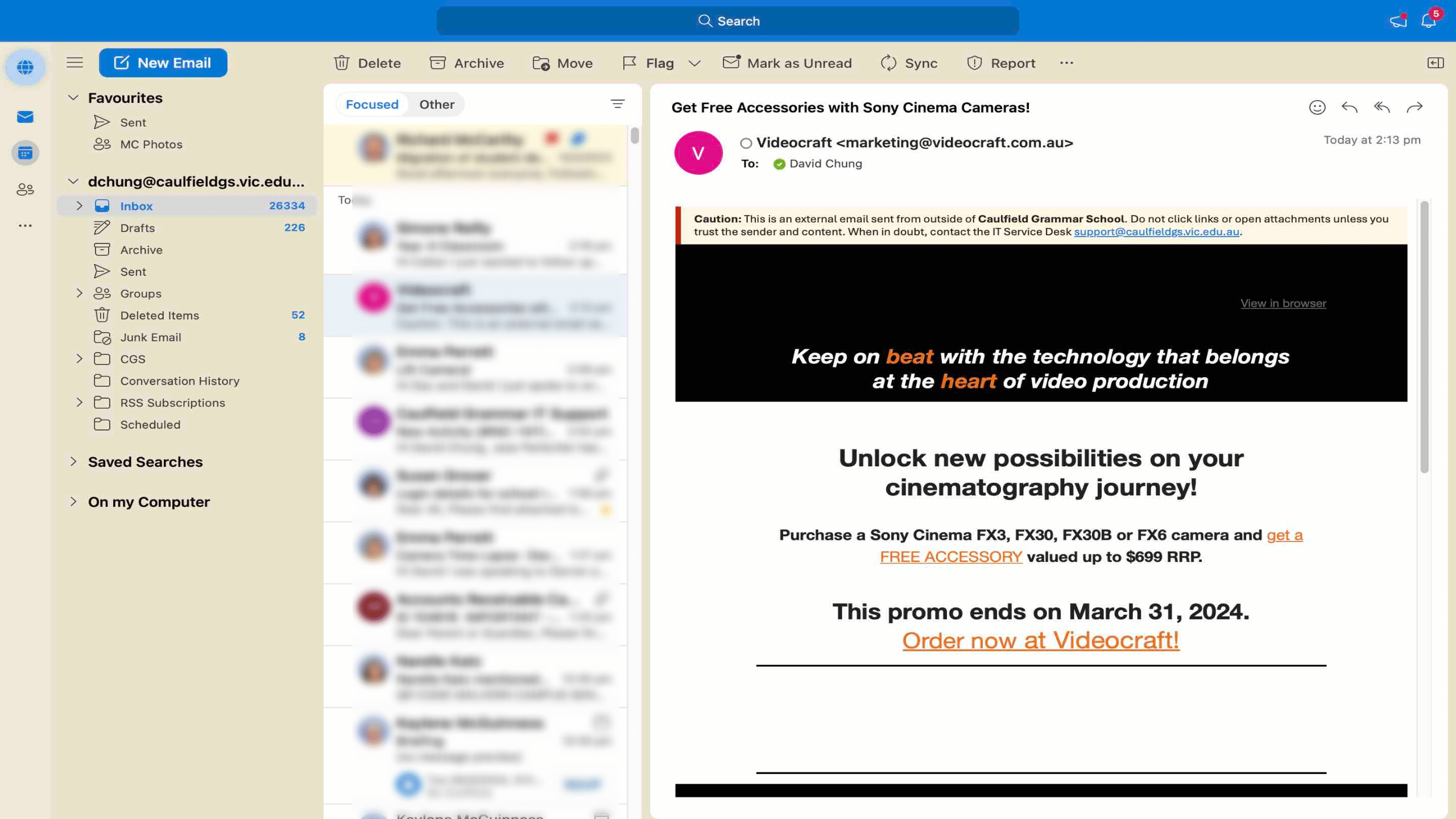
2
Click "Add Calendar"
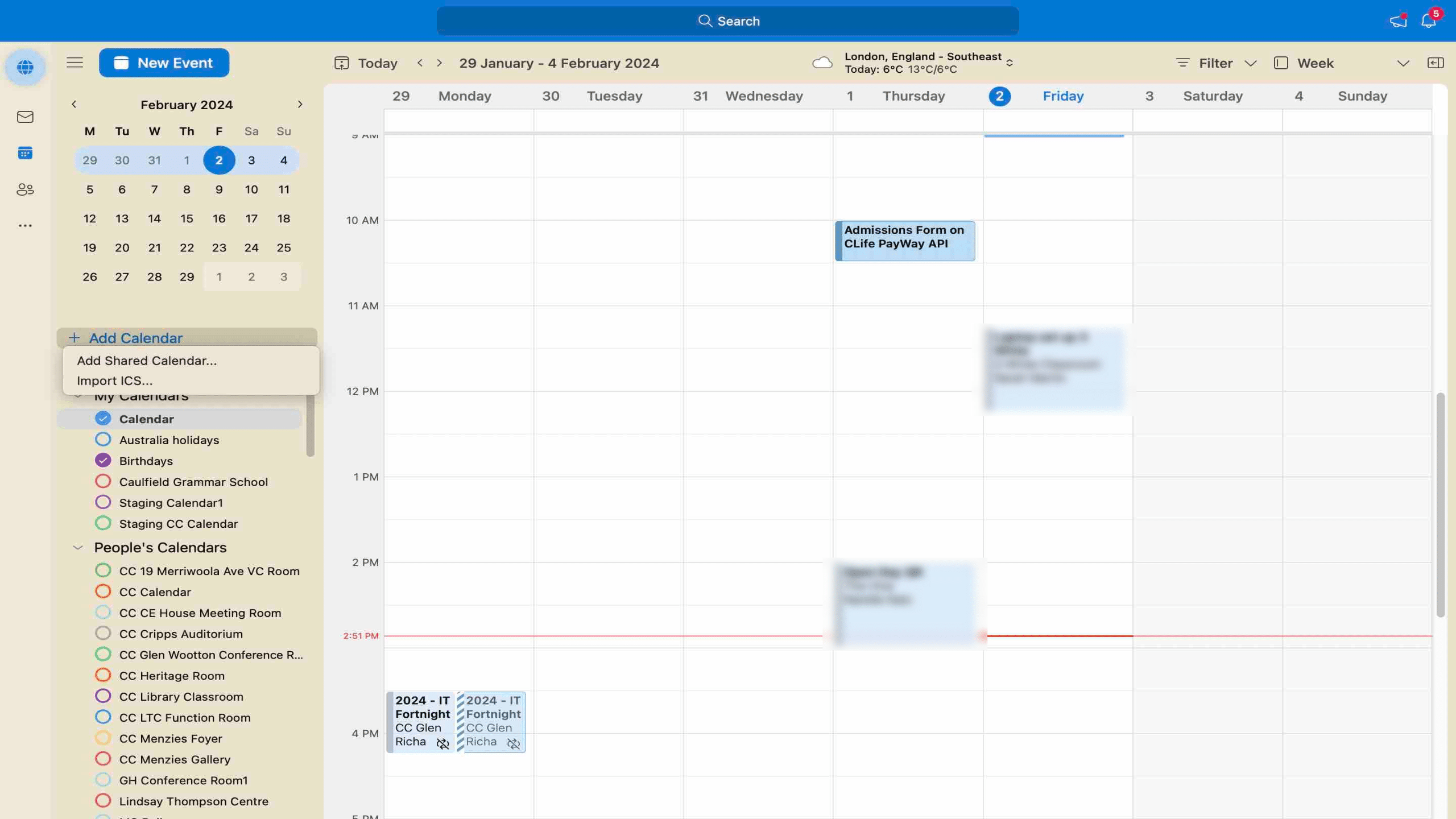
3
Click "Add Shared Calendar ..."
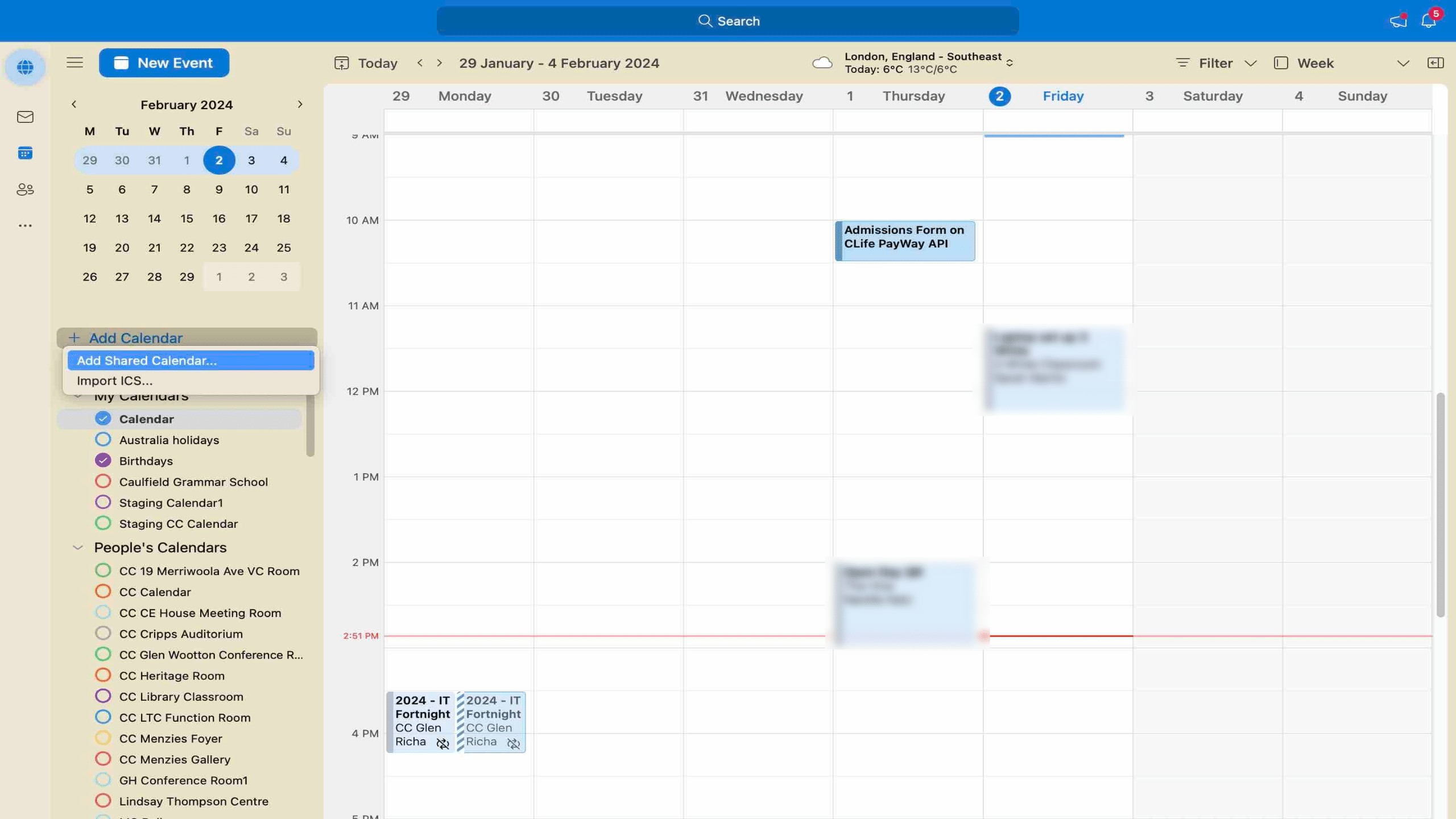
4
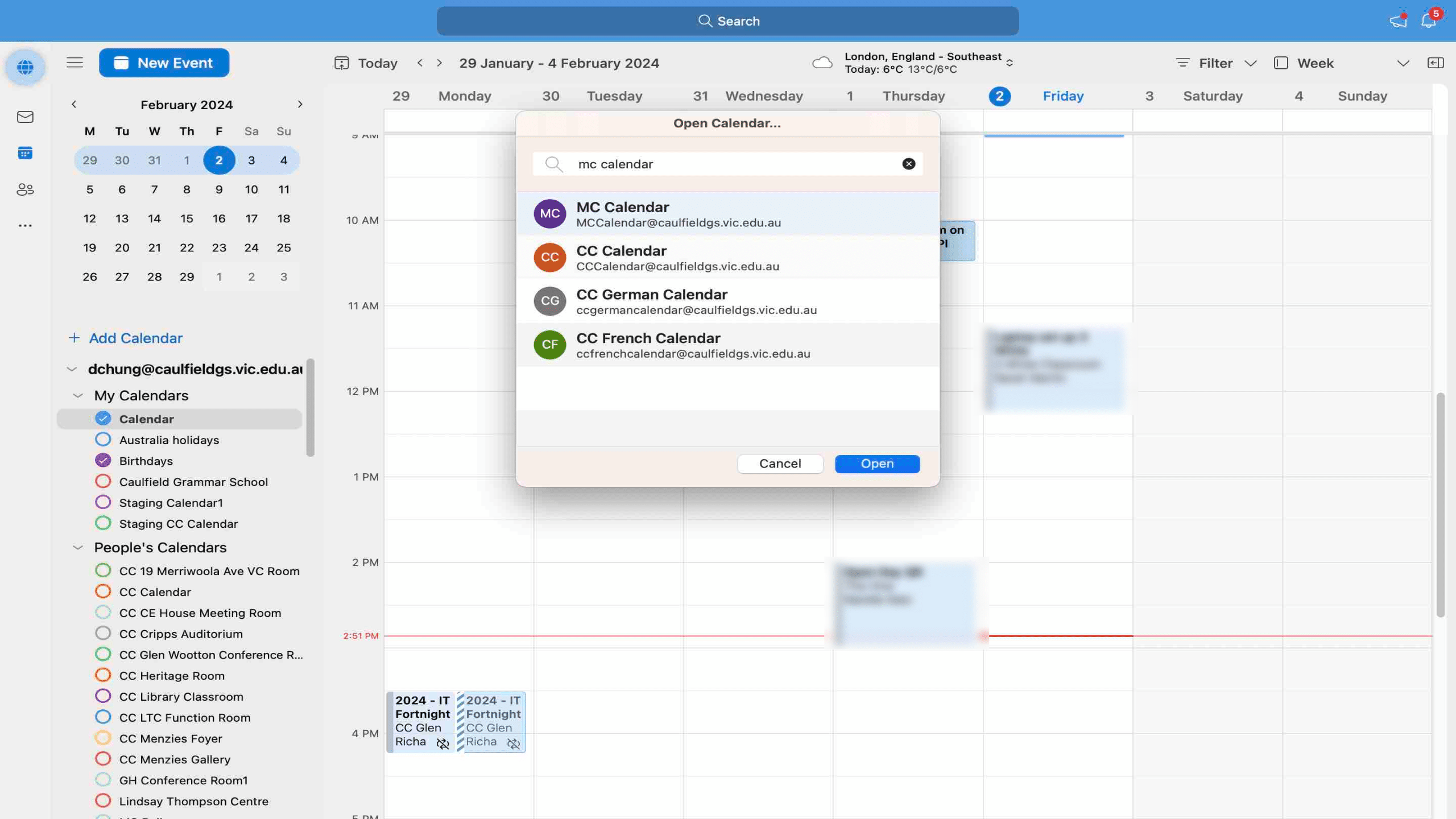
In the pop up window enter the name of the Shared Calendar you want to add, in this case it'll be "MC Calendar"
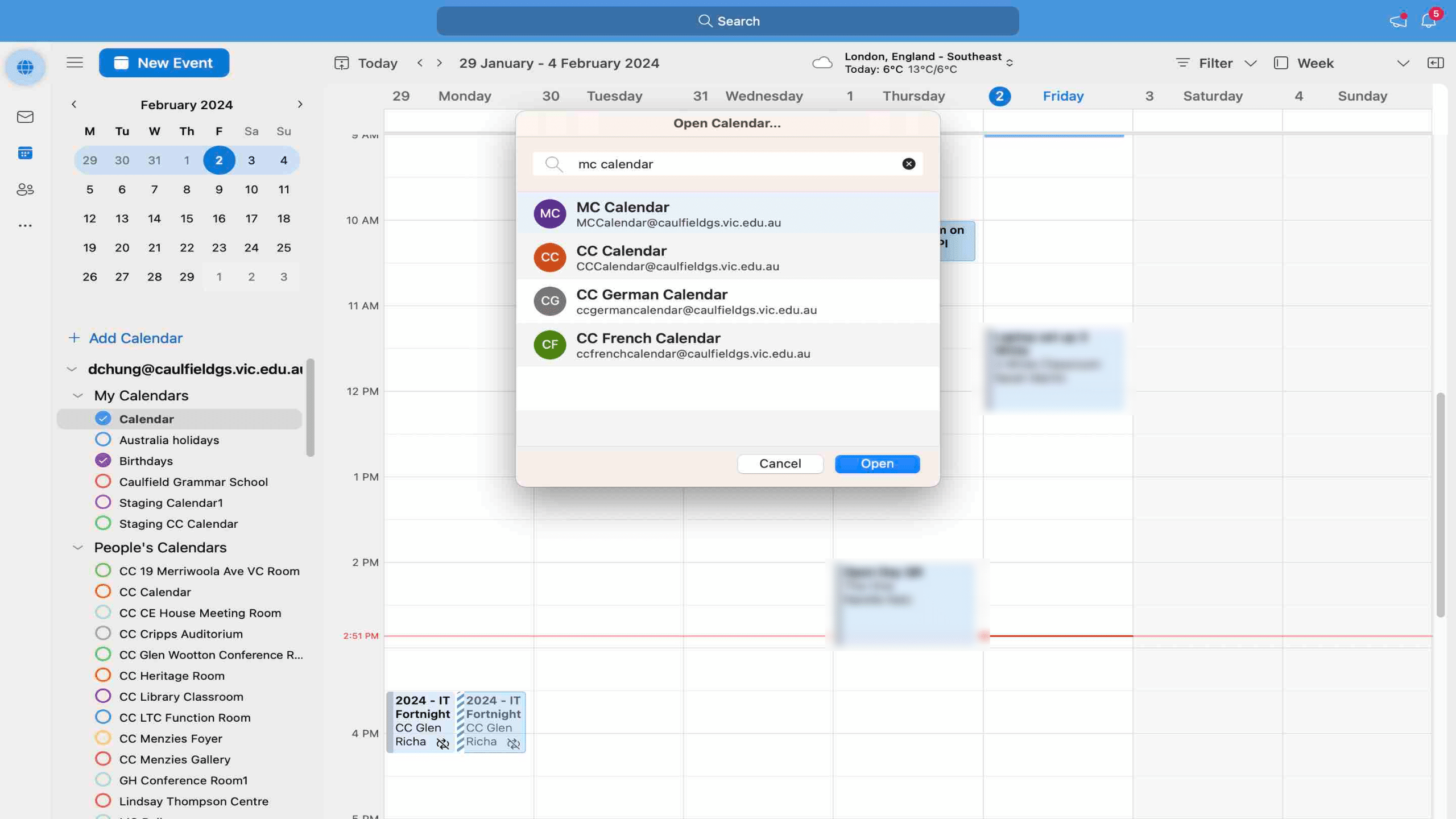
5
Select "MC Calendar" from the list of Shared Calendars
6
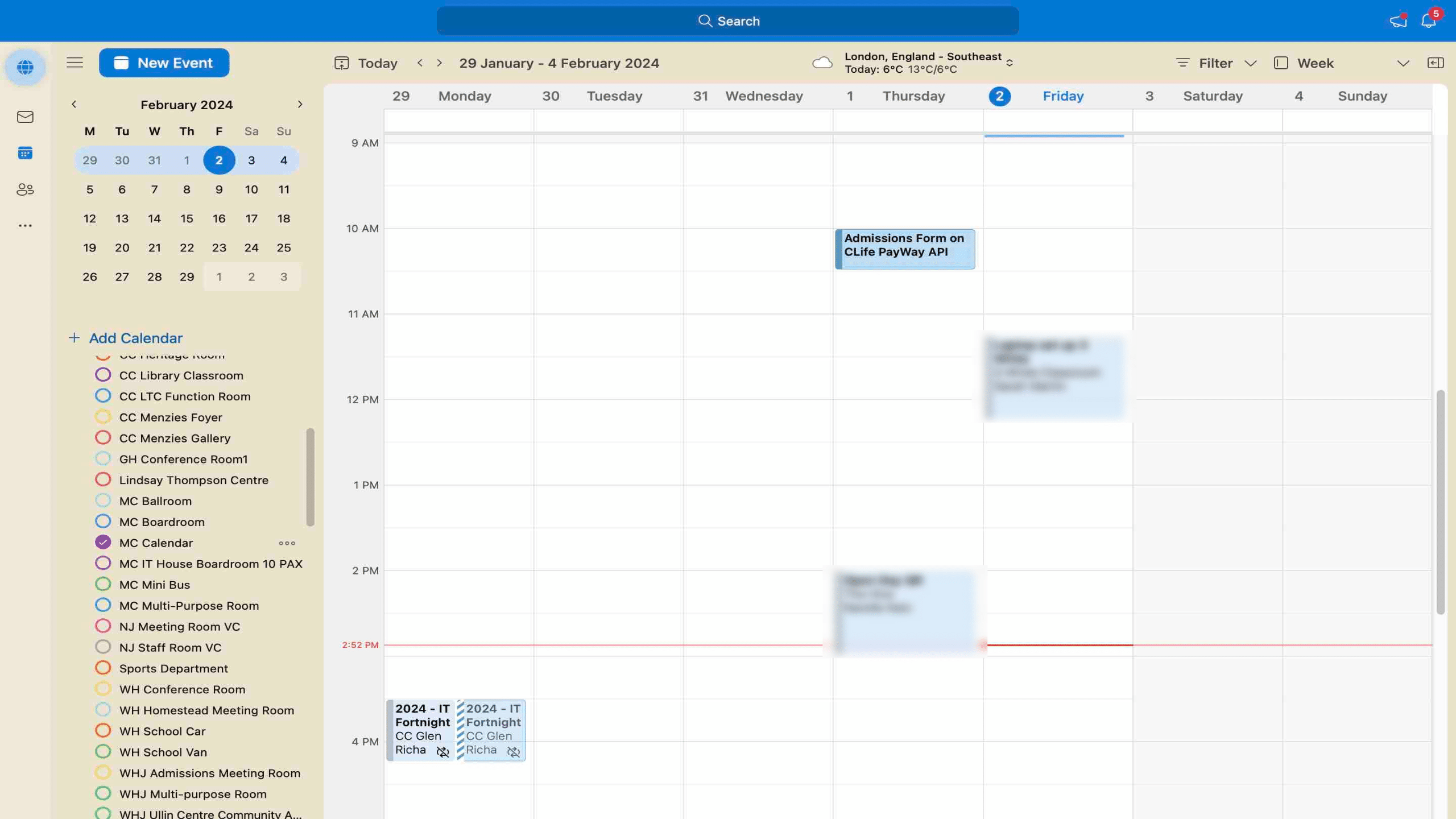
The calendar should have been added to your Outlook, search down the LHS panel to find the calendar and click the radio button to select.
7
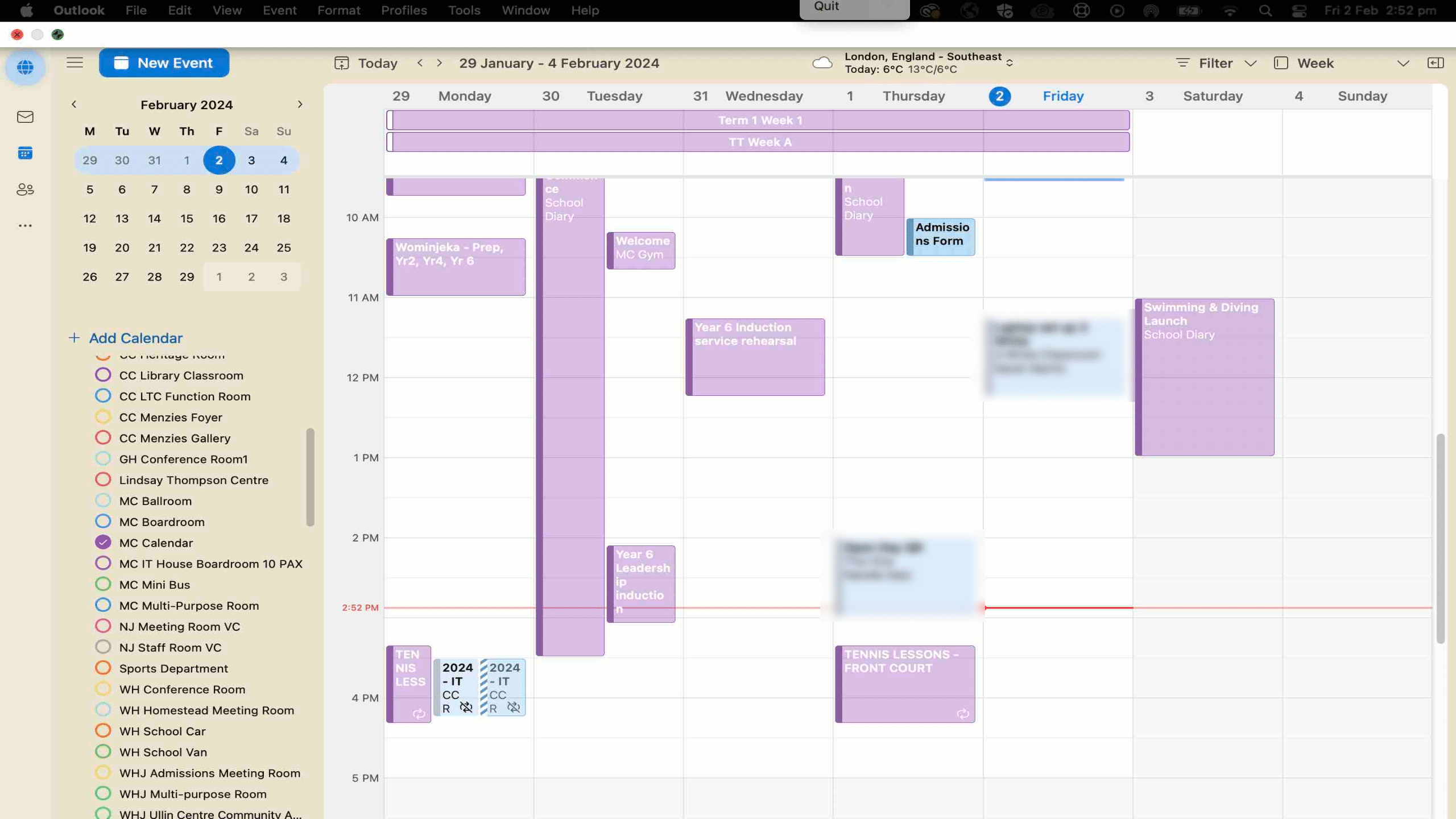
The list of calendar events may take a few minutes to populate and show in your Outlook.
Steps may differ slightly in the OLD Outlook or different versions and on different devices.